
My process is far from over and recently, I’ve gotten the opportunity to learn more about what the back-end entails in terms of web development. I’ve learned how to use Node.js to create my first web server and even got some hands-on practice using the Express framework to get me started as well.
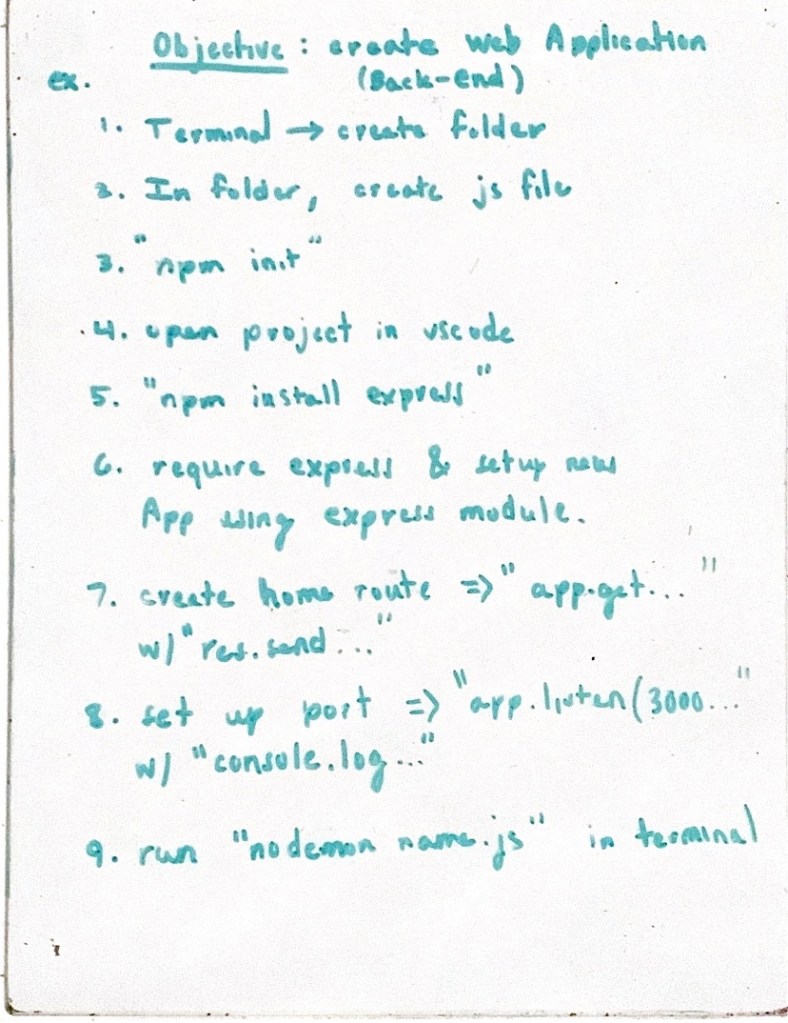
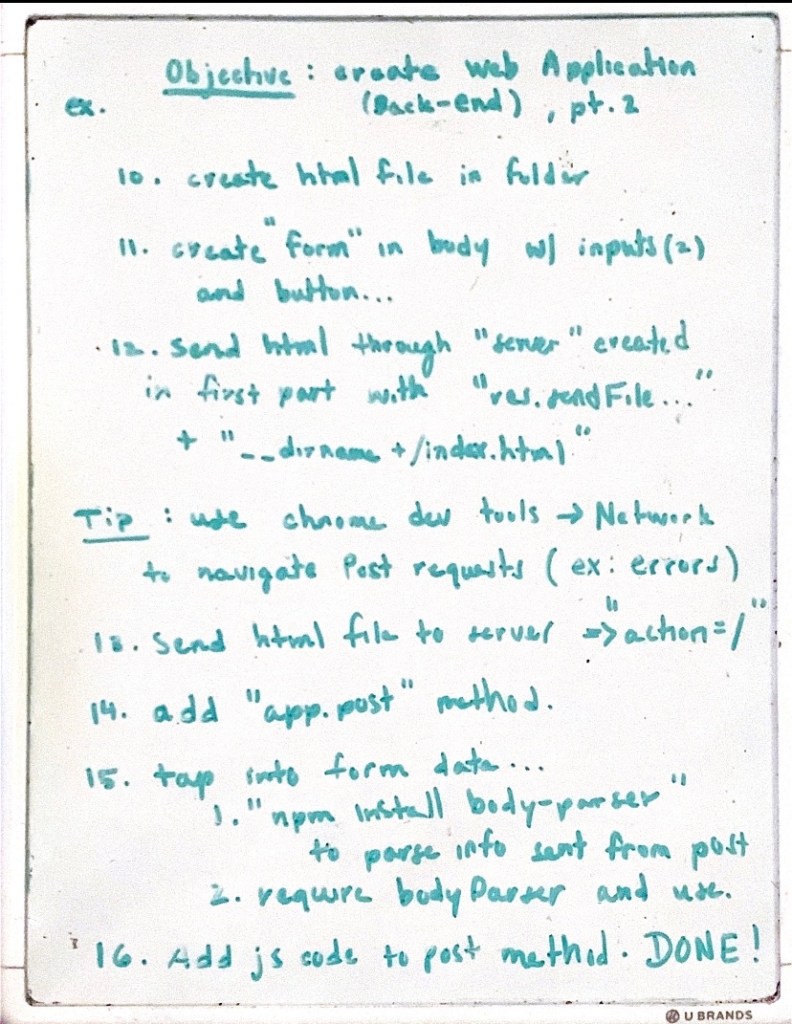
Thanks to App Brewery, I’ve been able to create my first basic calculator through a web server as well instead of having to simply rely on static code to build websites. This calculator project is a huge step up so that I’m able to more fully understand what can be done with code based on the server-side. I’m hoping the project itself holds a lot of conventions so that I am able to adapt to the workflow of creating web-server based code as well. And to help me get a better grasp, I’ve even written the steps out for future reference and a better understanding.
The idea was to also get hands-on experience with the terminal (or in this case a hyper terminal) so I started by creating a new folder there. Once I created the folder, I created a new JavaScript file and then initiated the node package manager (NPM). Once this is done, I moved on to vscode and installed express through the npm. Once Expressed showed up in the package.json file, I “required” it and essentially set up my new application by “adding” express. Finally, I was able to create a home route as well as a port to locate for in the web browser. Once my server is created I run my JavaScript file through Nodemon which I installed globally beforehand so that my server can detect changes made in the future while running.
In the second part of this project, I was able to inject my HTML file so that my server would be able to send this to the web browser. And inside the HTML file, I created a form for the user to use as a calculator. Once this is done, I was able to handle the “post” request using the “res.send” function. Finally, in order to tap into the data provided by the user I simply installed “bodyParser,” required it, and used it so that I was then able to create the actual calculator code in the post method. In order to run this code, I simply went to my web browser and ran “localhost:3000” while the server runs which is the port I used for this project.
To get a better look at my code I’ve included it as a repository on my GitHub which can be accessed via my website.
 Tech Blog